






 Laptop Computers
 Desktop Computers
 Printers
 Network
 Software
 Laptop Accessories
 Laptop Components
 Office
 Desktop peripherals

Hurry and get discounts on all Apple devices up to 20%
Sale_coupon_15
KSh18,000.00 excl. VAT
Payment Methods:

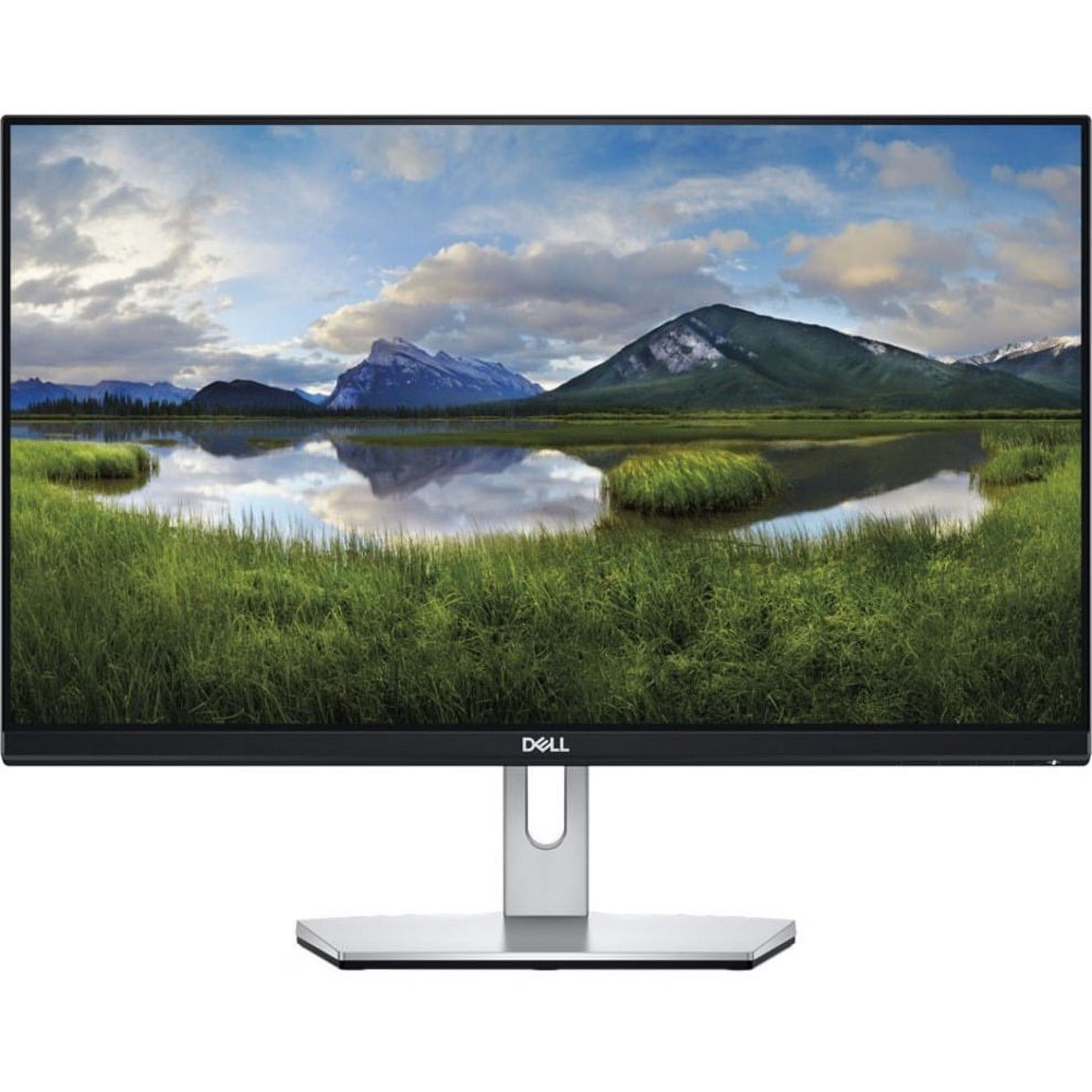
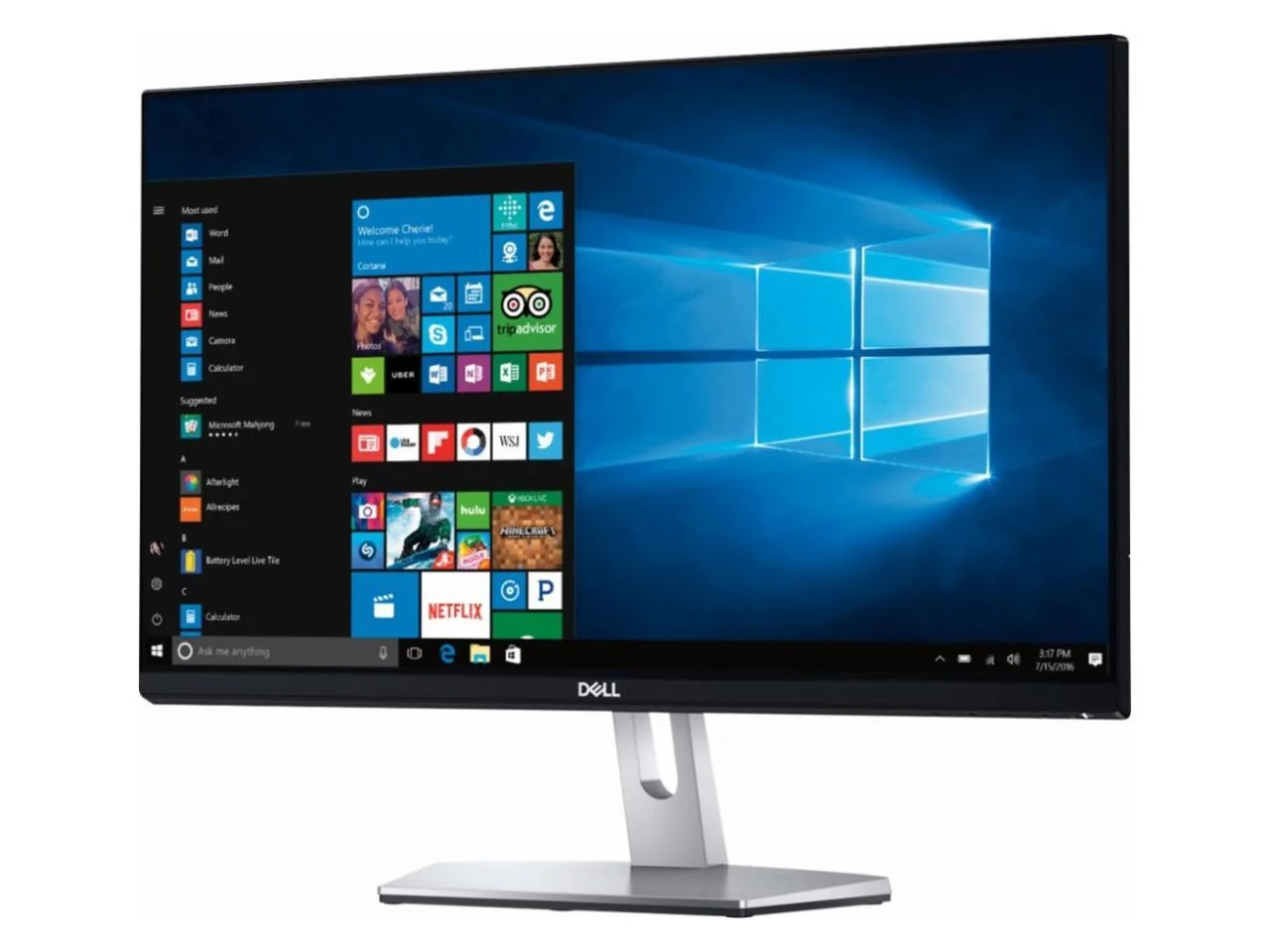
The Dell S2319NX 23-inch Full HD IPS Monitor is a practical display solution for offices, businesses, students, and home users who need reliable image quality and convenient connectivity. Featuring a 1920 × 1080 Full HD resolution, IPS panel technology, and HDMI and VGA inputs, this monitor delivers clear visuals for everyday computing and professional productivity.
Its 23-inch screen offers a comfortable viewing area for working with documents, spreadsheets, presentations, web applications, and multimedia content. The slim-bezel design provides a modern appearance that fits neatly into contemporary workspaces, while the compact footprint makes it suitable for desks where space is limited.
Whether you are setting up an office workstation, upgrading your home computer, or equipping a business environment, the Dell S2319NX combines essential display features with a clean, professional design.
The Dell S2319NX features a 23-inch display with Full HD resolution of 1920 × 1080 pixels. This resolution provides sharp text, clear graphics, and detailed images for everyday computing tasks.
The 16:9 widescreen aspect ratio is well suited to modern applications, presentations, online learning, and video playback. Users can comfortably work across documents, browse the internet, and manage multiple application windows.
For office professionals, Full HD resolution helps make spreadsheets, reports, and business presentations easier to view. Students can use the display for research, assignments, virtual learning, and reading digital materials.
The screen also supports lower resolutions, allowing it to work with a range of compatible computers and graphics systems.
The Dell S2319NX uses In-Plane Switching (IPS) technology to provide consistent image quality across wide viewing angles. With typical horizontal and vertical viewing angles of 178 degrees, the display helps maintain image clarity when viewed from different positions.
This is useful in workplaces where colleagues may need to look at the same document or presentation. IPS technology also supports balanced colours and clear visuals for everyday image viewing, video playback, and general office work.
The monitor supports up to 16.78 million colours, making it suitable for routine business applications, educational use, and home entertainment. For specialised professional colour grading, a display designed specifically for colour-critical workflows may be more appropriate.
With 250 cd/m² brightness and a 1000:1 typical contrast ratio, the Dell S2319NX is designed for clear viewing in standard office and home environments.
Its LED backlight supports an evenly illuminated display for working with documents, browsing websites, and viewing multimedia content. The anti-glare screen coating helps reduce distracting reflections from surrounding light sources.
The monitor also includes Dell ComfortView technology, which reduces blue-light emissions, and flicker-free operation to support viewing comfort during regular computer use.
For the best experience, position the monitor to minimise reflections and adjust the display settings to suit your workspace lighting.
The Dell S2319NX features a slim-bezel design with a black-and-silver finish. Its understated appearance complements modern office furniture, home desks, and professional workstations.
Narrow bezels help make the screen look less bulky and can be useful when placing compatible displays side by side. The design is suitable for reception desks, administrative offices, study areas, and business environments where a neat desktop setup is important.
The included stand supports tilt adjustment, allowing users to angle the display for a more comfortable viewing position. Its compact design also helps keep the workstation organised.
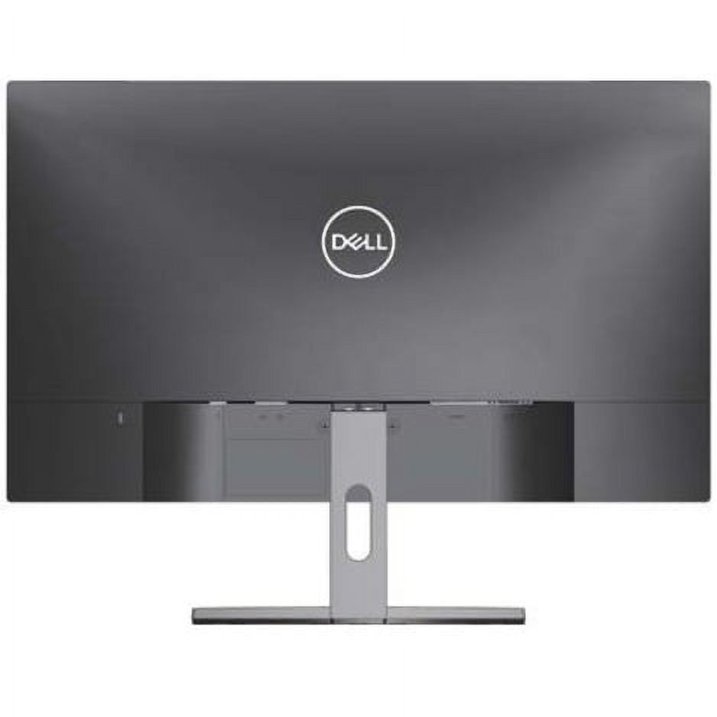
The Dell S2319NX includes HDMI and VGA inputs, giving users flexibility when connecting compatible computers and other video sources.
HDMI connectivity supports digital video from modern desktop computers, laptops, and compatible devices. It is a convenient choice for users who want a straightforward digital connection.
VGA connectivity provides an analogue video option for older computers and business systems that do not offer HDMI output.
The monitor also includes audio line-in and line-out connections for supported external audio equipment. The S2319NX does not have the built-in stereo speakers found in the related Dell S2319H model, so external audio equipment is needed when sound output is required.
Before connecting the monitor, check which video outputs are available on your computer and select the appropriate cable.
For people who spend considerable time working at a computer, viewing comfort is an important consideration. The Dell S2319NX incorporates ComfortView and flicker-free technology to help reduce certain sources of visual discomfort during everyday use.
Its anti-glare coating also helps limit distracting reflections in appropriately lit environments. Users can further improve their setup by adjusting screen brightness, maintaining a comfortable viewing distance, and taking regular breaks.
These features make the monitor a practical choice for office staff, students, customer-service teams, and home users who use their computers for extended periods.
The Dell S2319NX can support a variety of everyday computing requirements.
Office productivity: Use the Full HD screen for spreadsheets, reports, emails, business applications, and presentations.
Education: The 23-inch display is suitable for online classes, research, document preparation, and study activities.
Home computing: Browse websites, manage personal tasks, communicate online, and enjoy multimedia content.
Business administration: Set up a workstation for data entry, inventory management, customer support, and general administrative work.
Legacy computer systems: VGA connectivity helps accommodate compatible older computers, while HDMI supports newer devices.
Everyday multimedia: The widescreen format is appropriate for video playback and general entertainment when connected to a compatible source.
The monitor’s 60 Hz refresh rate is suited to routine productivity and general viewing rather than specialised high-refresh-rate gaming.
If you need an affordable, straightforward display for work or home computing, the Dell S2319NX 23-inch Full HD IPS Monitor is worth considering for its combination of clear resolution, wide viewing angles, and flexible connectivity.
The Full HD screen provides sufficient detail for common productivity tasks, while IPS technology helps maintain consistent visuals when viewing from different positions. HDMI and VGA inputs make the monitor adaptable to a variety of compatible computers, including systems with older video connections.
Its slim-bezel design gives the workstation a clean appearance, and ComfortView and flicker-free technology provide additional features for regular computer use.
For offices, educational environments, and home workstations that require dependable everyday display performance, the Dell S2319NX offers a practical set of essential features without unnecessary complexity.
The Dell S2319NX 23-inch Full HD IPS Monitor is designed for users who value clear visuals, practical connectivity, and a modern appearance. Its 1920 × 1080 resolution, IPS panel, anti-glare screen, and HDMI and VGA inputs make it suitable for a broad range of everyday computing tasks.
From office productivity and educational work to general home computing, it provides a useful balance of display quality and convenience. Its slim-bezel design and eye-comfort features further support its role as a practical desktop monitor.
If you are looking for a 23-inch Dell monitor for everyday business or personal use, the S2319NX is a suitable option to consider.
 Laptop Computers
 Desktop Computers
 Desktop peripherals
 Laptop Accessories
 Laptop Components
 Network
 Printers
 Server
 Software
No account yet?
Create an Account






