






 Laptop Computers
 Desktop Computers
 Printers
 Network
 Software
 Laptop Accessories
 Laptop Components
 Office
 Desktop peripherals
Brand: ViewSonic
Model: XG2431
Series: OMNI Gaming
Screen Size: 24 inches
Viewable Screen Size: 23.8 inches
Display Resolution: 1920 × 1080 pixels (Full HD)
Aspect Ratio: 16:9
Panel Technology: Fast IPS
Backlight: LED
Refresh Rate: Up to 240Hz
Response Time: 1ms GTG (typical); less than 0.5ms MPRT in supported mode
Brightness: 350 cd/m² (typical)
Static Contrast Ratio: 1000:1
Dynamic Contrast Ratio: 80M:1
Colour Support: 16.7 million colours
Colour Gamut: 104% sRGB (typical, area coverage)
Viewing Angles: 178° horizontal / 178° vertical
HDR Support: VESA DisplayHDR 400, HDR10
Adaptive Sync: AMD FreeSync Premium
G-SYNC Compatibility: Supported with compatible configurations
Motion Clarity: PureXP, Blur Busters Approved 2.0
Video IBuilt-in Speakers: 2 × 3W
Ergonomic Adjustments: Height, tilt, swivel, pivot
VESA Mounting: 100 × 100 mm
Screen Surface: Anti-glare, hard coating
Power Consumption: Approximately 23W typical

Hurry and get discounts on all Apple devices up to 20%
Sale_coupon_15
KSh52,000.00 excl. VAT
Payment Methods:

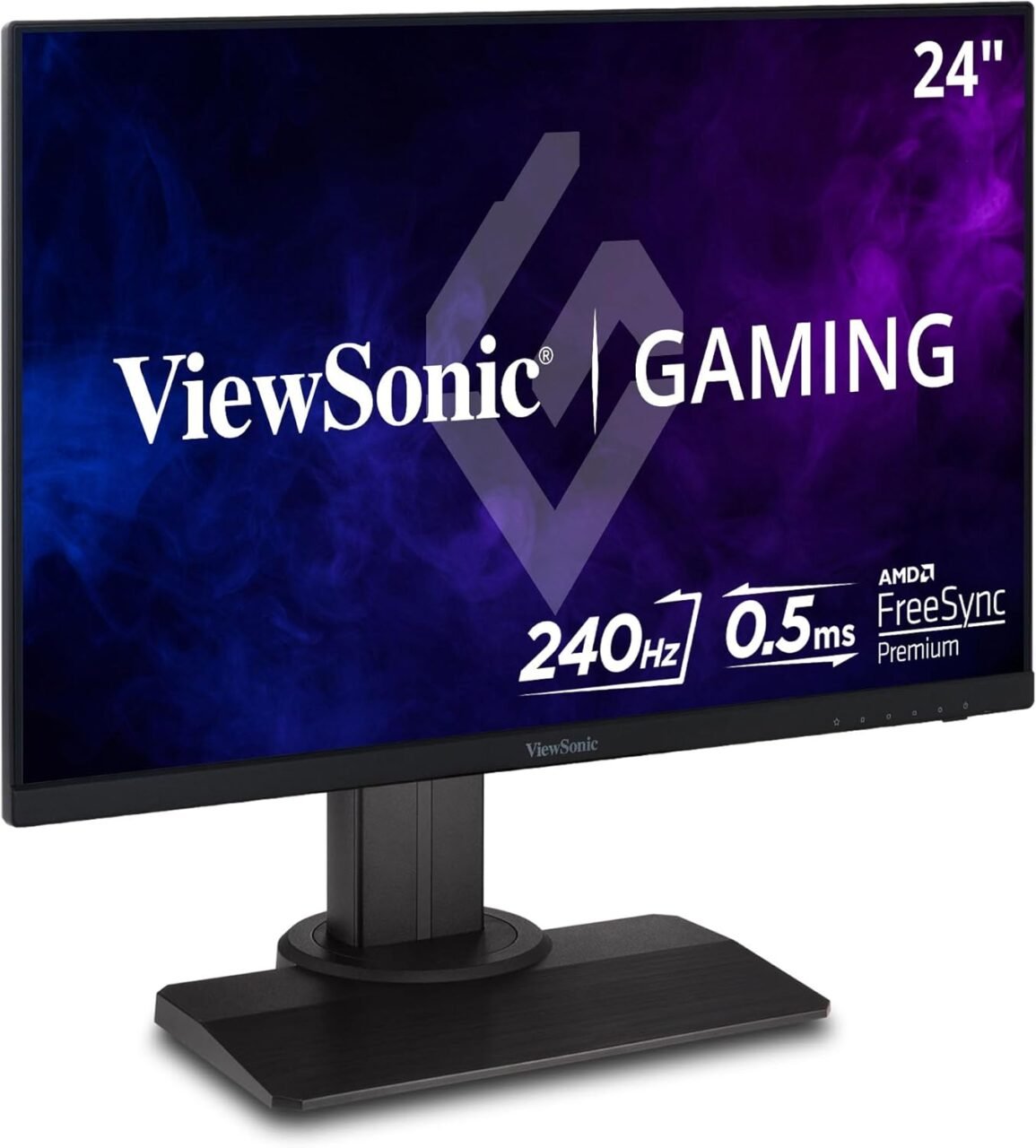
The ViewSonic XG2431 24-Inch 240Hz Gaming Monitor is designed for gamers and PC users who want smooth motion, responsive gameplay, and clear Full HD visuals. With its 24-inch display, 1920 × 1080 resolution, and high refresh rate, this monitor delivers the performance-focused features needed for fast-paced games and everyday computing.
A high-refresh-rate monitor can make movement appear smoother and help users follow fast on-screen action more clearly, provided the connected computer can deliver a sufficiently high frame rate. The ViewSonic XG2431 combines a 240Hz refresh rate with IPS panel technology, making it a compelling option for users who value both motion clarity and consistent image quality.
Whether you are setting up a gaming station, upgrading an existing display, or looking for a versatile monitor for entertainment and general computing, the ViewSonic XG2431 offers a practical combination of speed, display quality, and useful gaming features.
The ViewSonic XG2431 features a 24-inch Full HD display with a resolution of 1920 × 1080 pixels. This screen size is well suited to desktop gaming, providing a clear viewing area without requiring an oversized desk.
Full HD resolution offers detailed visuals for games, videos, web browsing, and everyday applications. It is also a practical resolution for users who want high frame rates without placing the same graphics-processing demands on their computer as higher-resolution displays can.
For users who play fast-paced games, the combination of a compact desktop screen and Full HD resolution makes it easier to focus on on-screen action while maintaining good visual clarity.
One of the monitor’s most important features is its 240Hz refresh rate. The display can refresh the image up to 240 times per second when the connected device and settings support this rate.
A higher refresh rate can provide smoother motion, especially in fast-moving games. It can also make cursor movement and scrolling feel more fluid during everyday computer use.
To benefit fully from 240Hz, users need a compatible graphics card, suitable connection, and game settings that allow sufficiently high frame rates. The actual experience depends on the complete computer setup.
The ViewSonic XG2431 uses IPS panel technology, which provides wide viewing angles and consistent colour reproduction. This helps maintain image quality when viewing the screen from different positions.
IPS technology is useful for users who want a gaming monitor that can also handle everyday tasks, video streaming, browsing, and general productivity.
The panel’s combination of colour performance and high refresh rate makes it a versatile option for people who use one monitor for gaming and other activities.
The XG2431 is designed for responsive gaming and supports a manufacturer-rated response time of up to 0.5ms MPRT under the specified mode.
Response time refers to how quickly pixels change between states, while MPRT measures motion-picture response time. These figures are not directly interchangeable with conventional grey-to-grey response-time measurements.
Fast response and a high refresh rate can help reduce perceived motion blur when the monitor is configured appropriately. Actual results depend on the selected response-time settings, refresh rate, and content being displayed.
The ViewSonic XG2431 supports AMD FreeSync Premium, a variable refresh-rate technology designed to synchronise the monitor’s refresh rate with compatible graphics hardware.
When supported and configured correctly, variable refresh rate can help reduce screen tearing and stuttering during gameplay.
This feature is useful when frame rates fluctuate rather than remaining perfectly constant. Compatibility and available functionality depend on the graphics card, drivers, connection, and settings.
The Full HD IPS panel provides clear visuals for games, videos, and everyday applications. Its colour capabilities support colourful game environments, detailed interfaces, and general multimedia viewing.
The monitor is designed primarily around speed and responsiveness rather than extremely high resolution. Users who prioritise high frame rates and a practical desktop screen size may find this balance particularly useful.
A comfortable setup can make extended computer sessions easier to manage. The ViewSonic XG2431 includes an adjustable stand designed to support different viewing positions.
Its ergonomic adjustments include:
Height adjustment: Raise or lower the display to suit your desk and seating position.
Tilt adjustment: Angle the screen for a comfortable view.
Swivel adjustment: Turn the monitor to suit your workstation.
Pivot adjustment: Rotate the screen into portrait orientation for supported tasks.
These features also make the monitor useful for browsing, coding, document viewing, and other activities outside gaming.
The XG2431 includes gaming-oriented display settings intended to help users customise the viewing experience. Depending on the selected mode, these features can adjust visual characteristics to suit different games and lighting conditions.
The monitor’s high refresh rate, fast-response options, and variable refresh-rate support work together to provide a display experience focused on smooth motion.
Users can select settings according to their preferences, keeping in mind that some motion-clarity modes may affect brightness or other display characteristics.
The ViewSonic XG2431 supports VESA DisplayHDR 400 and HDR10, helping compatible content display a broader range of brightness levels and visual detail.
HDR can improve the appearance of supported games and videos by presenting highlights and tonal differences more effectively. The overall benefit depends on the content, display settings, and source device.
While HDR support adds versatility, the XG2431’s main strengths remain its high refresh rate, motion clarity, and responsive gaming performance.
The XG2431 is notable for its Blur Busters Approved 2.0 certification, which recognises its motion-clarity performance and implementation of PureXP strobe backlight technology.
PureXP is designed to reduce perceived motion blur by briefly strobing the backlight. This can make moving objects appear clearer in supported settings, although brightness and other display characteristics may change when the feature is enabled.
This feature is especially relevant to users who prioritise motion clarity in fast-paced games.
The ViewSonic XG2431 combines high refresh-rate performance with practical features that make it suitable for different gaming setups.
The 240Hz refresh rate and fast-response options make this monitor suitable for games that involve rapid movement and frequent changes on screen.
Its features can benefit users playing first-person shooters, racing games, action titles, and other games where smooth motion is important. Performance ultimately depends on the computer, graphics hardware, and game settings.
Although designed primarily for gaming, the XG2431 is also suitable for general desktop use. Its Full HD IPS panel supports web browsing, document editing, video streaming, and everyday productivity applications.
This versatility makes it a practical option for users who want one display for gaming and regular computer activities.
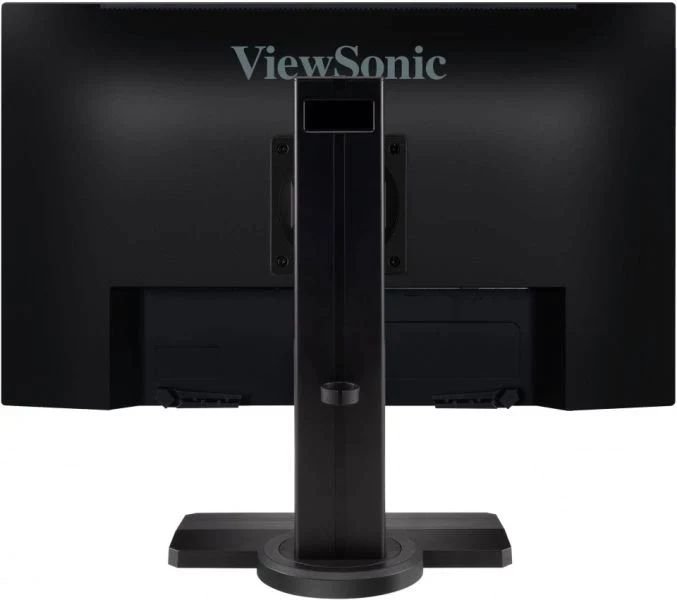
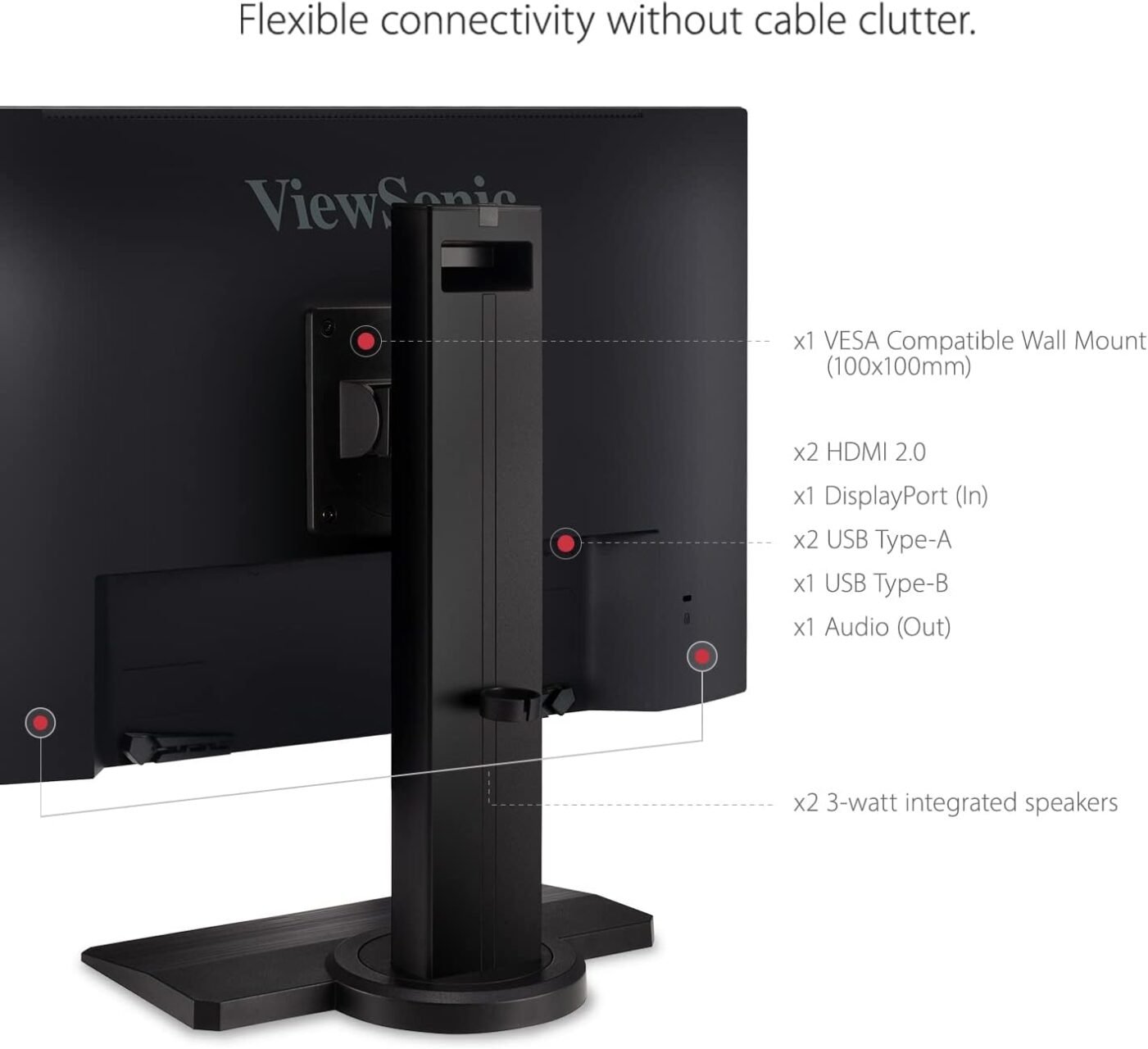
The monitor includes DisplayPort and two HDMI inputs, allowing users to connect compatible computers and other supported video sources. It also includes USB connectivity and a 3.5mm audio output.
These connections provide flexibility when arranging a desktop gaming station. Users should check the specific source device and connection requirements to ensure that 240Hz operation is supported.
The adjustable stand supports height, tilt, swivel, and pivot positioning. These adjustments help users position the monitor according to their desk layout and viewing preferences.
The monitor also supports VESA mounting, making it suitable for compatible monitor arms and mounting systems.
When comparing gaming monitors, refresh rate, resolution, panel technology, and response-time behaviour are important considerations.
144Hz monitors: Offer smoother motion than standard 60Hz displays and can suit many gaming setups.
165Hz monitors: Provide a higher refresh rate for users seeking additional motion smoothness.
240Hz monitors: Offer more frequent screen updates and are particularly attractive for users prioritising fast-paced gameplay.
Higher-resolution gaming monitors: Can provide more image detail but may require greater graphics performance to achieve high frame rates.
The ViewSonic XG2431 combines Full HD resolution with a 240Hz refresh rate, allowing users to prioritise smooth motion without the additional graphics demands associated with higher-resolution displays.
Place the monitor on a stable desk or attach it to a compatible VESA mount.
Connect the power cable.
Connect the computer using DisplayPort or a suitable HDMI connection.
Open your computer’s display settings and select 1920 × 1080 resolution.
Set the refresh rate to 240Hz if supported by the computer and connection.
Enable compatible variable refresh-rate settings where appropriate.
Adjust the stand height, tilt, and swivel for comfortable viewing.
Explore the monitor’s gaming presets and motion settings to find your preferred configuration.
For the best experience, verify that the graphics card, cable, port, and operating-system settings support the required refresh rate. Some motion-clarity modes may also have limitations when combined with variable refresh-rate features.
The monitor is marketed as a 24-inch display and has a viewable screen area of approximately 23.8 inches.
It supports Full HD resolution of 1920 × 1080 pixels, suitable for gaming and everyday computing.
Yes. It supports a refresh rate of up to 240Hz at Full HD resolution through compatible connections and devices.
Yes. It uses Fast IPS panel technology, combining wide viewing angles and colour reproduction with gaming-focused response performance.
Yes. The monitor supports AMD FreeSync Premium, which can help reduce screen tearing when used with compatible hardware and settings.
Yes. In addition to gaming, it can be used for browsing, office applications, online learning, video streaming, and other general computing activities.
Yes. It supports VESA DisplayHDR 400 and HDR10, subject to compatible content and source-device settings.
Yes. The monitor includes two built-in 3W speakers. It also has a 3.5mm audio output for compatible external audio equipment.
Yes. It supports a 100 × 100 mm VESA mounting interface for compatible monitor arms and mounting brackets.
No account yet?
Create an Account







 ASUS
ASUS






