














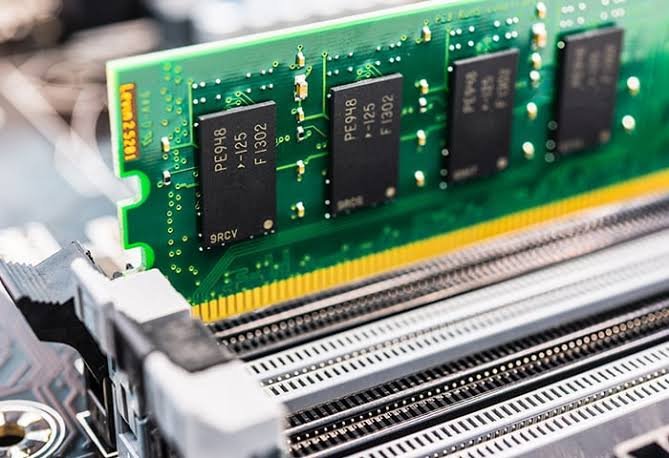
One of the most common questions laptop buyers ask is: “If I buy a laptop with more RAM, will it automatically be faster?”
The short answer is not always.
While RAM (Random Access Memory) plays a critical role in your laptop’s performance, it is only one part of the equation. The processor, storage drive, graphics card, cooling system, and even the software you run all contribute to how fast your laptop feels.
Think of RAM as your work desk. A larger desk gives you more space to spread out books, documents, and tools, making it easier to work on several tasks at once. However, a bigger desk doesn’t make you work faster—it simply lets you work more efficiently.
Similarly, more RAM allows your laptop to handle more applications simultaneously without slowing down, but it doesn’t automatically increase the processor’s speed.
What Is RAM?
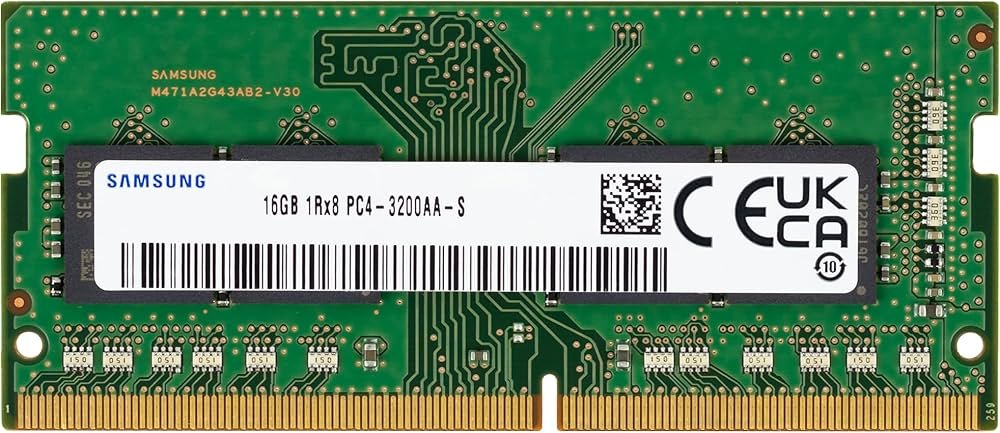
RAM (Random Access Memory) is your laptop’s short-term memory. It temporarily stores the data and programs your processor is actively using.
Every time you:
- Open Google Chrome
- Edit a Word document
- Watch YouTube
- Join a Zoom meeting
- Edit photos
- Run programming software
…your laptop loads that information into RAM for quick access. The more applications you run at the same time, the more RAM your system requires.
RAM vs Storage: Don’t Confuse Them
Many people think RAM and storage are the same—they’re not.
| RAM | Storage (SSD/HDD) |
|---|---|
| Temporary memory | Permanent storage |
| Holds active programs | Stores files and software |
| Affects multitasking | Affects boot and loading speeds |
| Clears when you shut down | Retains data after shutdown |
Does More RAM Increase Speed?
It depends on how you’re using your laptop.
Yes, More RAM Helps If You:
- Keep many browser tabs open
- Run Microsoft Office while attending video calls
- Edit photos or videos
- Use programming tools
- Run virtual machines
- Play modern games
- Work with large datasets
In these situations, upgrading from 8GB to 16GB often provides a noticeable improvement.
No, More RAM Won’t Help If:
- You only browse the web
- Check email
- Watch Netflix
- Use Microsoft Word occasionally
If your current RAM isn’t fully utilized, adding more won’t make your laptop noticeably faster.
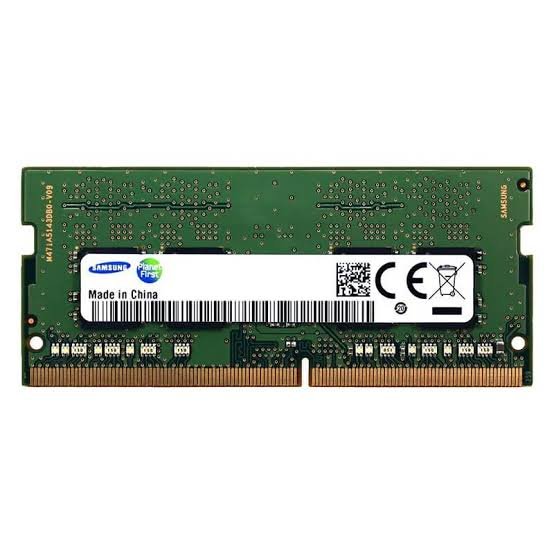
HOW RAM WORKS REAL LIFE EXAMPLE
Imagine a restaurant.
- The processor (CPU) is the chef.
- RAM is the size of the kitchen counter.
- The SSD is the pantry.
A larger counter lets the chef prepare multiple dishes at once without running out of space. But if the chef works slowly, simply adding more counter space won’t make meals arrive faster.
That’s exactly how RAM works.comparing processors becomes much easier.
How Much RAM Do You Really Need?
| RAM Capacity | Recommended For |
| 8GB | Web browsing, Office apps, online classes, everyday use |
| 16GB | Students, professionals, programming, multitasking, light editing |
| 32GB | Video editing, CAD, 3D rendering, virtual machines, AI workloads |
| 64GB+ | Professional studios, engineering, scientific computing, enterprise workloads |
For most users in 2026, 16GB RAM offers the best balance of performance and value.
RAM Speed Matters Too
Capacity isn’t the only factor. Modern RAM also differs in:
- DDR4 vs DDR5
- Memory frequency (MHz)
- Latency
DDR5 memory generally offers higher bandwidth and better efficiency than DDR4, especially when paired with newer processors.
Can Too Much RAM Be a Waste?
Yes. If you only use your laptop for browsing, streaming, and office work, upgrading from 16GB to 32GB may not provide any noticeable benefit.
Investing in a faster SSD or a newer processor could deliver a much better return.
When Should You Upgrade Your RAM?
Consider a RAM upgrade if:
- Your laptop frequently slows when multitasking.
- Applications crash due to insufficient memory.
- Your system constantly uses virtual memory (page file).
- You edit large photos or videos.
- You develop software or use virtual machines.
Before upgrading, check whether your laptop supports additional RAM and the maximum capacity.
RAM Isn’t the Only Performance Upgrade
For the best performance, consider the entire system:
| Component | Impact on Performance |
| Processor (CPU) | Handles calculations and overall computing power |
| RAM | Improves multitasking and application responsiveness |
| SSD | Speeds up boot times and file loading |
| Graphics (GPU) | Essential for gaming and creative workloads |
| Cooling System | Prevents performance loss due to overheating |
A balanced laptop performs better than one with a single high-end component.
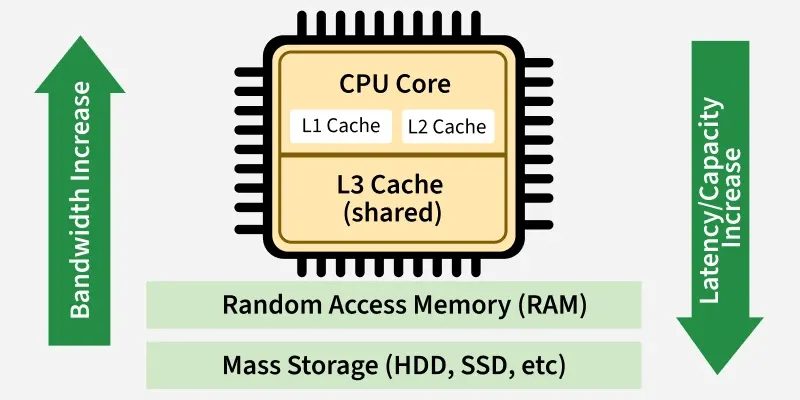
Why Cache Memory Matters
Many buyers ignore cache.
Cache is ultra-fast memory built into the processor.
Think of it as your desk.
A larger desk lets you keep more documents within reach instead of walking to a filing cabinet every few minutes.
Similarly, a larger CPU cache allows the processor to access frequently used data more quickly, improving performance in many applications.
More RAM does not automatically make a laptop faster. It improves your laptop’s ability to handle multiple tasks and memory-intensive applications, but it works alongside the processor, SSD, graphics, and other components.
For most students, professionals, and business users, 16GB RAM paired with a modern Intel Core or AMD Ryzen processor and an NVMe SSD provides excellent performance.
If you’re unsure how much RAM you need, Lansotech Solutions can help you choose a laptop or upgrade that matches your workload and budget.
Frequently Asked Questions
Is 8GB RAM enough in 2026?
Yes, for basic tasks like browsing, email, and office work. However, 16GB is recommended for smoother multitasking and future-proofing.
Is 16GB RAM enough for programming?
Yes. For most programming, web development, and software engineering tasks, 16GB is sufficient. Developers running multiple virtual machines or large datasets may benefit from 32GB.
Will adding RAM make my old laptop faster?
If your laptop is running out of memory, adding RAM can improve responsiveness. However, replacing a hard drive with an SSD often delivers an even greater performance boost.
Is 32GB RAM worth it?
It is worthwhile for professionals working with video editing, 3D rendering, engineering applications, AI development, or virtualization. For everyday users, 16GB is usually enough.
Contact Lansotech Solutions today:
Email: sales@lansotechsolutions.co.ke
Call/WhatsApp 0791-833-529 Start WhatsApp Chat>>








 ASUS
ASUS






